
Chatgpt Prompt for Photo Editing
ChatGPT Prompt for Photo Editing: 11 Powerful Use Cases 📸
Leverage ChatGPT’s image editing capabilities to tackle virtually any photo-editing need. Below are 11 effective use cases, each with a prompt template and tips on how to apply.
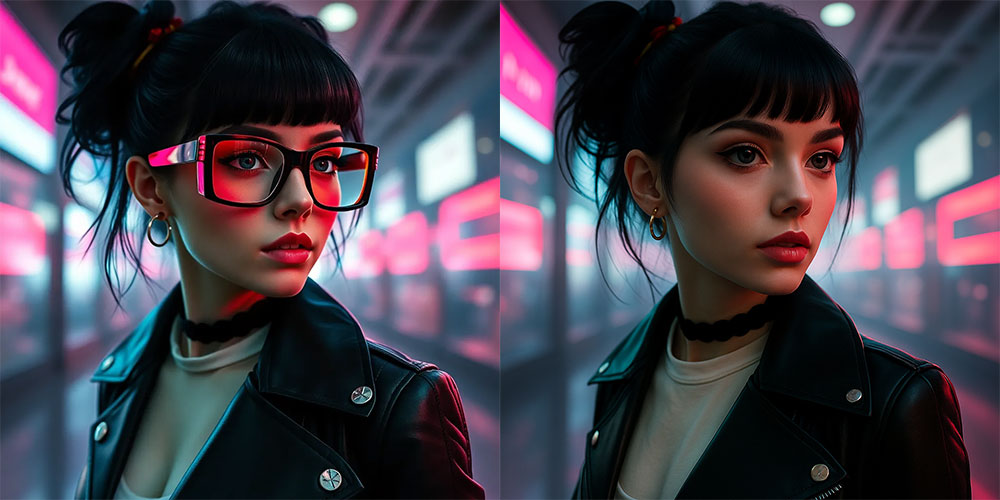
1. Remove Unwanted Objects
Prompt:
Remove the glasses from the photo and fill the area naturally
Use generative fill or inpainting to seamlessly eliminate unwanted items with minimal visual artifacts.
2.Change Specific Colors
Prompt:
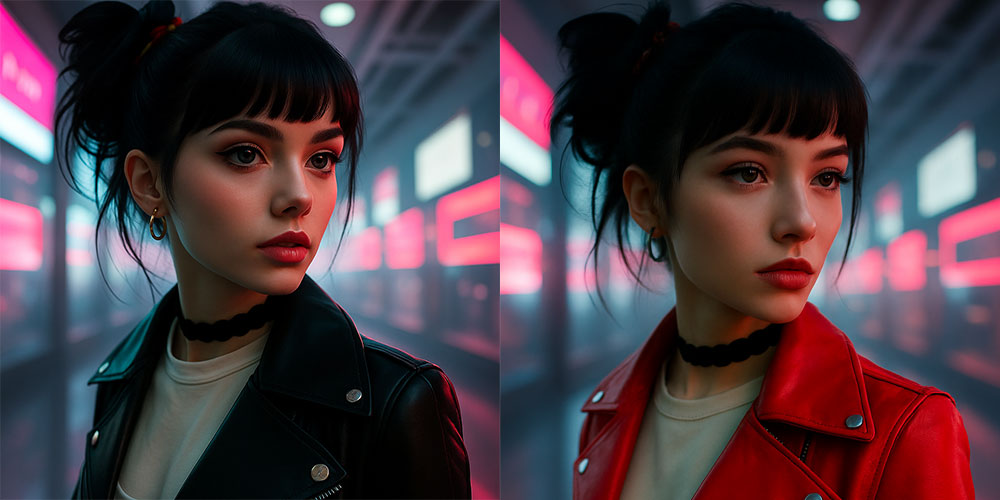
Change the jacket’s color to red while preserving shine and shadows.
Perfect for brand photos or design adjustments. Text-to-image tools handle complex textures well.
3. Add New Elements
Prompt:
Add a small cat on the table, casting a soft shadow.
Useful for styling product shots or adding mood to still life images.

4. Swap Clothing or Add Accessories
Prompt:
Replace my shirt with a blazer and change background to a bookcase setting.
Great for quick wardrobe edits or creating mockups—results may shift facial likeness.

5. Enhance Aesthetics & Composition
Prompt:
Make this photo look like it belongs in a travel magazine—brighter colors, sharper contrast.
AI tools excel at enhancing lighting, cropping, and vibrancy instantly.

6. Generative Fill / Extend Scene
Prompt:
Extend the right side of this camping photo by adding a warm campfire.
Use it to expand compositions or fill canvas space innovatively.

7. Create Collages / Combine Scenes
Prompt:
Combine Tokyo Sky Tree and Senso-ji Temple into one coherent scene.
Excellent for custom postcards, travel collages, or creative branding visuals.

8. Restore & Colorize Old Photos
Prompt:
Restore this damaged black-and-white photo and apply natural-looking color tones.
Fast fix for vintage shots—tiling scratches, enhancing detail, and adding authentic color.

9. Novelty Transformations (e.g. pets to humans)
Prompt:
Transform my dog into a stylized human character wearing a vintage suit.
Fun for themed pet portraits or fantasy art—great for personal use.

10. Generate Lightroom Presets & Editing Workflows
Prompt:
Generate Lightroom settings to mimic Kodak Gold 200: include exposure, tone curve, vibrance, grain.
ChatGPT can produce full preset recipes for seamless integration into Lightroom or ACR.

11. Apply Creative Stylistic Filters
Prompt:
Make this sunset photo look like a watercolor painting with pastel tones.
Ideal for stylized prints, social media, or artistic collages.

🛠️ How to Frame Your Prompts Effectively
- Be Specific – mention targets (objects, areas), styles, colors, and lighting.
- Define Style & Constraints – e.g., “soft focus” or “avoid oversaturation.”
- Iterate – refine with follow-up prompts until you reach the desired result.